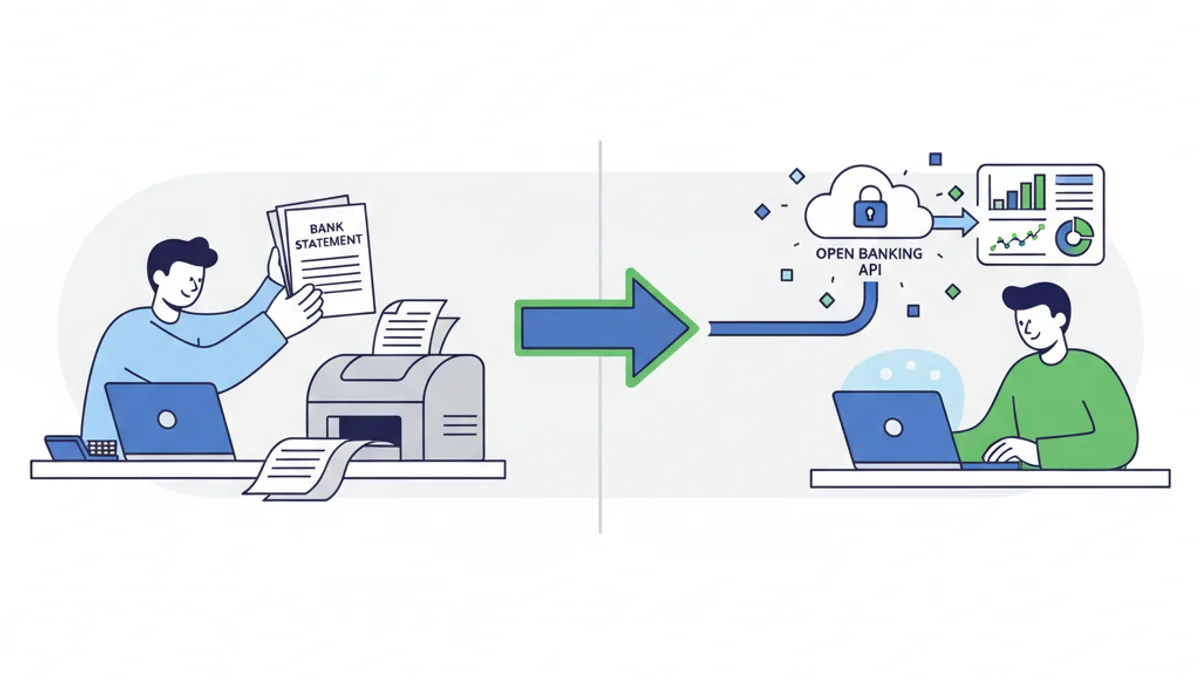
Open Banking and PDF conversion are the two main ways UK accountants access client bank data, and each has genuine strengths depending on your situation. Open Banking pulls live transaction data directly from the bank via a secure API connection, while PDF conversion transforms downloaded bank statements into structured formats like CSV or OFX. Neither approach is universally superior: the right choice depends on your client base, software stack, and whether you need historical data or an ongoing feed. This guide breaks down both methods so you can make a practical decision.
What Actually Is Open Banking, and How Does It Work for Accountants?
Open Banking is a system regulated by the FCA that requires UK banks to share customer financial data with authorised third parties, with the customer's consent. It was introduced under the Payment Services Regulations 2017 and is overseen by the Open Banking Implementation Entity (OBIE). By March 2026, over 10 million UK consumers and businesses were using Open Banking-enabled products.
For accountants, the practical benefit is automation. Once a client authorises the connection, transactions flow directly into your accounting software, typically within 24 hours of the transaction settling. Xero, QuickBooks, and FreeAgent all support Open Banking feeds from major UK banks including Barclays, HSBC, Lloyds, NatWest, and Santander.
The catch is consent management. A client must actively re-authorise the connection every 90 days under FCA rules, a requirement introduced to protect consumers but one that creates friction in practice. If a client forgets to renew, the feed stops and you have a gap in your records.
What Are the Advantages of PDF Statement Conversion?
PDF statement conversion is the process of taking a bank statement PDF (downloaded from online banking or exported by the bank) and converting it into a structured data format such as CSV, OFX, or QIF. Tools like the convertbank-statement.com converter handle this automatically, including statements from virtually every UK bank and building society.
The advantages are significant in specific scenarios:
- Historical data access: Open Banking typically provides 12 to 24 months of transaction history, depending on the bank. PDF conversion has no such limit: if a client can download a statement from 2019, you can convert and import it.
- No re-authorisation required: You process a file, you get data. There is no 90-day consent window to manage.
- Works with any client: Some clients bank with smaller providers or credit unions that have not yet implemented Open Banking APIs. PDFs work regardless.
- Useful for one-off jobs: If you are preparing historical accounts, doing a HMRC investigation response, or onboarding a new client mid-year, you often need bulk historical data fast. PDF conversion delivers this without asking the client to set up anything.
- No software integration needed: The output is a plain CSV or OFX file you can import into any system.
How Do Open Banking and PDF Conversion Compare Side by Side?
Here is a direct comparison across the factors that matter most to UK accountants and bookkeepers:
| Factor | Open Banking | PDF Conversion |
|---|---|---|
| Setup time | 5-10 minutes per client | Under 2 minutes per statement |
| Ongoing effort | Low (if consent maintained) | Moderate (manual download and convert) |
| Historical data | Typically 12-24 months | Unlimited (depends on PDFs available) |
| Re-authorisation | Every 90 days (FCA requirement) | Not required |
| Bank coverage | Major UK banks only | Virtually all UK banks and lenders |
| Data accuracy | Very high (direct API) | High (depends on PDF quality) |
| Cost | Often bundled with accounting software | Per conversion or subscription |
| Best for | Ongoing bookkeeping clients | New client onboarding, historical work |
| HMRC MTD compatibility | Yes, via accounting software | Yes, via CSV import |
The table makes it clear that these two methods are not really competing: they serve different use cases well.
Which Method Works Better for HMRC's Making Tax Digital Requirements?
HMRC's Making Tax Digital for Income Tax Self Assessment (MTD for ITSA) rolls out from April 2026 for sole traders and landlords with income above £50,000. From April 2027, the threshold drops to £30,000. Under MTD for ITSA, affected taxpayers must maintain digital records and submit quarterly updates to HMRC using MTD-compatible software.
Both Open Banking and PDF conversion can support MTD compliance, but via different routes:
- Open Banking feeds transactions automatically into MTD-compatible software like Xero or QuickBooks, keeping records continuously up to date and reducing the chance of missed entries.
- PDF conversion generates CSV or OFX files that you import into the same software. It takes slightly more manual effort per quarter but produces the same digital records.
For clients who are MTD-mandated from April 2026, Open Banking is the lower-friction option if their bank supports it. For clients with patchy connectivity, irregular banking, or multiple accounts at smaller lenders, PDF conversion fills the gaps.
If you are not sure which approach your clients need, the best bank statement converter comparison guide for 2026 covers the tools available and what each handles well.
When Should You Use Each Method in Practice?
Here is a straightforward decision guide based on common scenarios:
Use Open Banking when:
- You are doing ongoing monthly or quarterly bookkeeping for an active business client
- Your client banks with a major high-street bank (Barclays, Lloyds, HSBC, NatWest, Santander)
- You want to minimise manual data entry over a 12-month engagement
- Your accounting software supports the connection natively
Use PDF conversion when:
- You are onboarding a new client and need 2 or 3 years of history immediately
- Your client banks with a challenger bank, credit union, or lender without an Open Banking API
- You are handling a one-off job such as a tax investigation, mortgage application, or company accounts catch-up
- A client's Open Banking consent has lapsed and you have a gap to fill
- You need data from a closed account or a bank that no longer operates
Many accountants use both. Open Banking handles the live flow for active clients, and PDF conversion covers anything historical, ad hoc, or outside the Open Banking network.
For straightforward PDF-to-CSV conversion without a subscription, the convertbank-statement.com pricing page shows the pay-as-you-go and monthly options available.
Practical Steps to Convert a PDF Bank Statement Today
If you have a client statement ready to convert, the process takes under two minutes:
- Download the bank statement PDF from the client's online banking portal, or ask the client to send it to you.
- Go to convertbank-statement.com/convert and upload the PDF.
- Select your output format: CSV works for Excel and most accounting software, OFX works for Sage and QuickBooks direct import.
- Download the converted file and import it into your accounting software.
- Review the imported transactions for any that need categorisation or manual review.
For bulk historical work, you can upload multiple statements in one session. The converter handles the multi-column formats used by Barclays, the running balance layout from NatWest, and the credit/debit split columns used by HSBC and Lloyds.
Sarah Mitchell is a chartered accountant with over 12 years of experience supporting UK small businesses and sole traders with bookkeeping, VAT returns, and HMRC compliance.
Frequently Asked Questions
Does Open Banking replace PDF bank statements for accountants? Open Banking does not fully replace PDF statements. It provides an excellent live transaction feed for ongoing work, but PDF conversion remains necessary for historical data beyond 24 months, accounts at banks without Open Banking APIs, and one-off or catch-up accounting jobs.
How far back can I get data via Open Banking? Most UK banks provide between 12 and 24 months of transaction history through Open Banking APIs. The exact limit varies by bank: NatWest typically provides 24 months, while some smaller providers offer only 12. For anything older, you will need to use PDF statements and a conversion tool.
Is Open Banking data safe to use for HMRC records? Yes. Open Banking connections are regulated by the FCA under the Payment Services Regulations 2017. Authorised third parties such as accounting software providers must meet strict security standards. The transaction data is the same source data the bank holds, so it is considered reliable for HMRC record-keeping purposes.
Can I convert PDF statements from any UK bank? Virtually all UK bank PDF statements can be converted, including Barclays, Lloyds, HSBC, NatWest, Santander, Monzo, Starling, Metro Bank, TSB, Halifax, and many building societies. The convertbank-statement.com tool supports statements from over 40 UK banks and lenders.
What output format should I use when converting a bank statement for QuickBooks? OFX format imports directly into QuickBooks Online and QuickBooks Desktop. CSV also works and gives you more flexibility to map columns manually. For Xero, OFX or CSV both import cleanly. For Sage 50, use CSV with the standard Sage import template.
Does MTD for ITSA require Open Banking, or will CSV imports work? CSV imports into MTD-compatible software satisfy the digital record-keeping requirement under MTD for ITSA. HMRC does not mandate Open Banking specifically: the requirement is that records are held digitally in compatible software. Converting a PDF statement to CSV and importing it meets this requirement provided the software is on HMRC's approved list.
Last reviewed: 2026-03-13